How to Download Sensor Reports
This guide explains how to download sensor data from the platform.
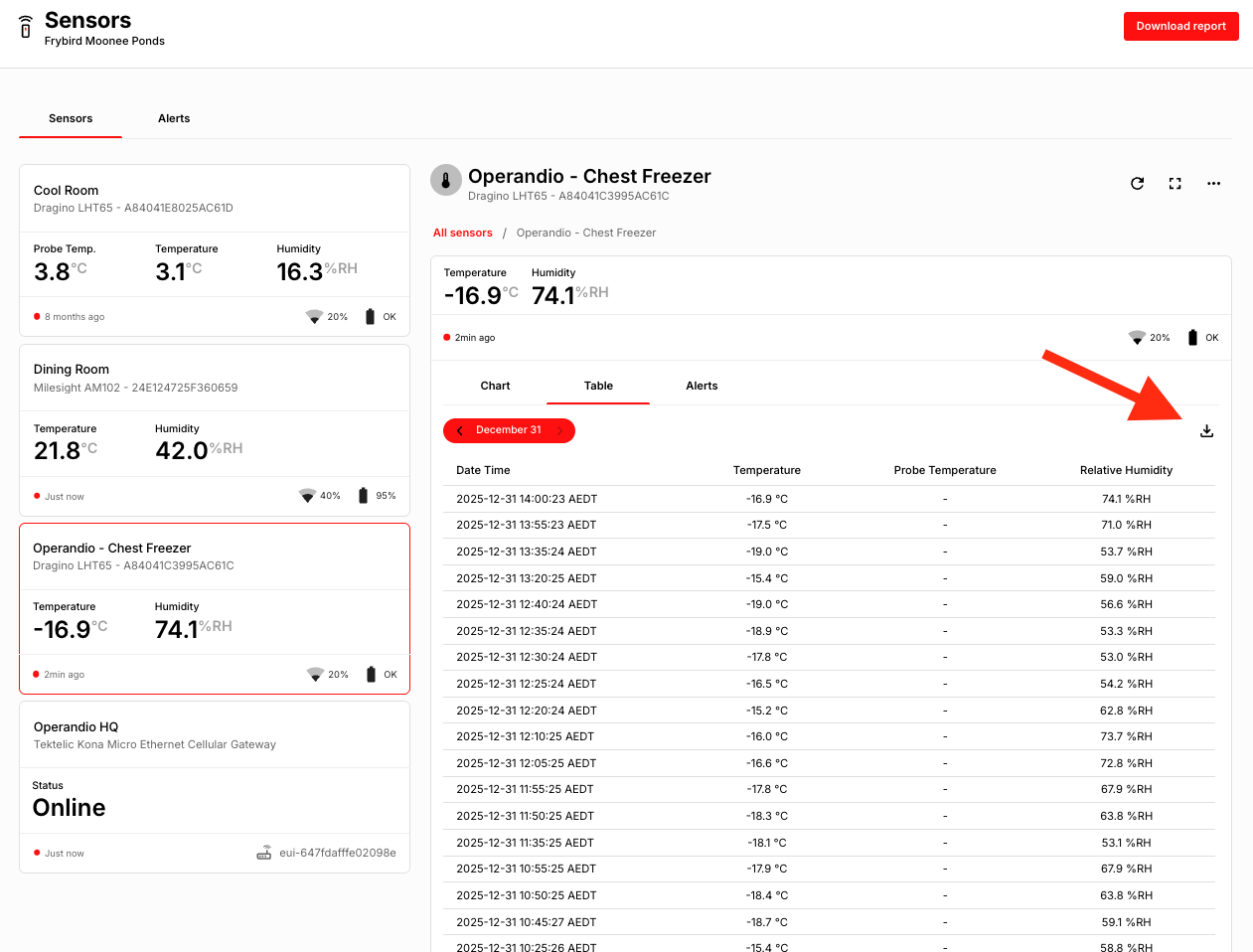
At this stage, sensor data can only be downloaded per sensor, per day and is available in CSV format.
Step-by-Step Instructions
-
Navigate to the Sensor Dashboard
Log in to the platform and open the sensor dashboard.
-
Select a Sensor
Choose the sensor you want to download data for.
-
Choose a Date
Select the specific date for which you need the sensor data.
-
Switch to Table View
Change the view to Table View to display the data.
-
Download the Data
On the right-hand side of the screen, select the option to download the data as a CSV file.