How to Link an Asset to a Job
This guide walks you through how to link an asset to a job in Operandio. Linking assets ensures everything is stored in one place, making it easy to see which assets are included in jobs and track their completion history.
Benefits of Linking Assets
- All job and asset information is stored in one platform.
- You can quickly see which assets have been included in jobs.
- Job history is visible against each asset.
- Helps staff follow procedures accurately and track maintenance or inspections.
Examples of Jobs That Use Assets
- Maintenance check – select a specific piece of equipment to inspect.
- Cleaning inspection – assign a cleaning task to a specific machine or area.
- Calibration task – link to a device that needs calibration before use.
- Safety audit – associate a safety inspection with a specific workstation or tool.
Make sure all assets have been created in the platform. Only assets already in the system can be linked to jobs.
Creating a Job Using Assets
- Open the Job Manager and select Create in the top right-hand corner.
-
Enter the job details as normal (title, tags and add required steps)
To link an asset:
- Choose Selection as the response type.
- Select Assets
- Optionally, limit the staff member to select only one asset if the job requires it.
- Complete creating the job as usual (assign the schedule, location and area of work).
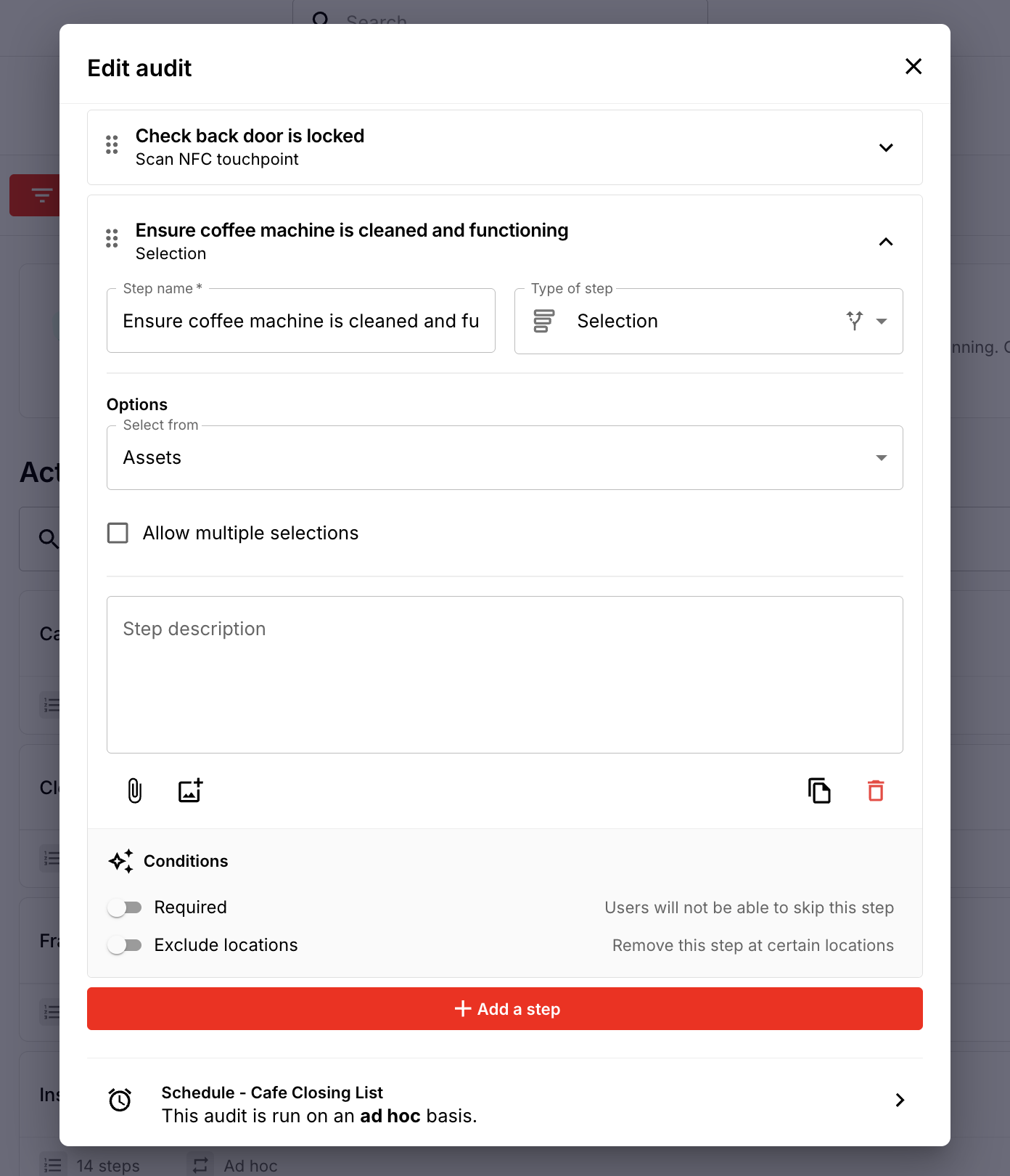
Example: A Maintenance Check job may require staff to select a specific coffee machine or piece of kitchen equipment before completing the inspection form.
Completing a Job Linking to an Asset
- Open the job on any device (desktop, mobile, or kiosk).
-
Complete the job as normal.
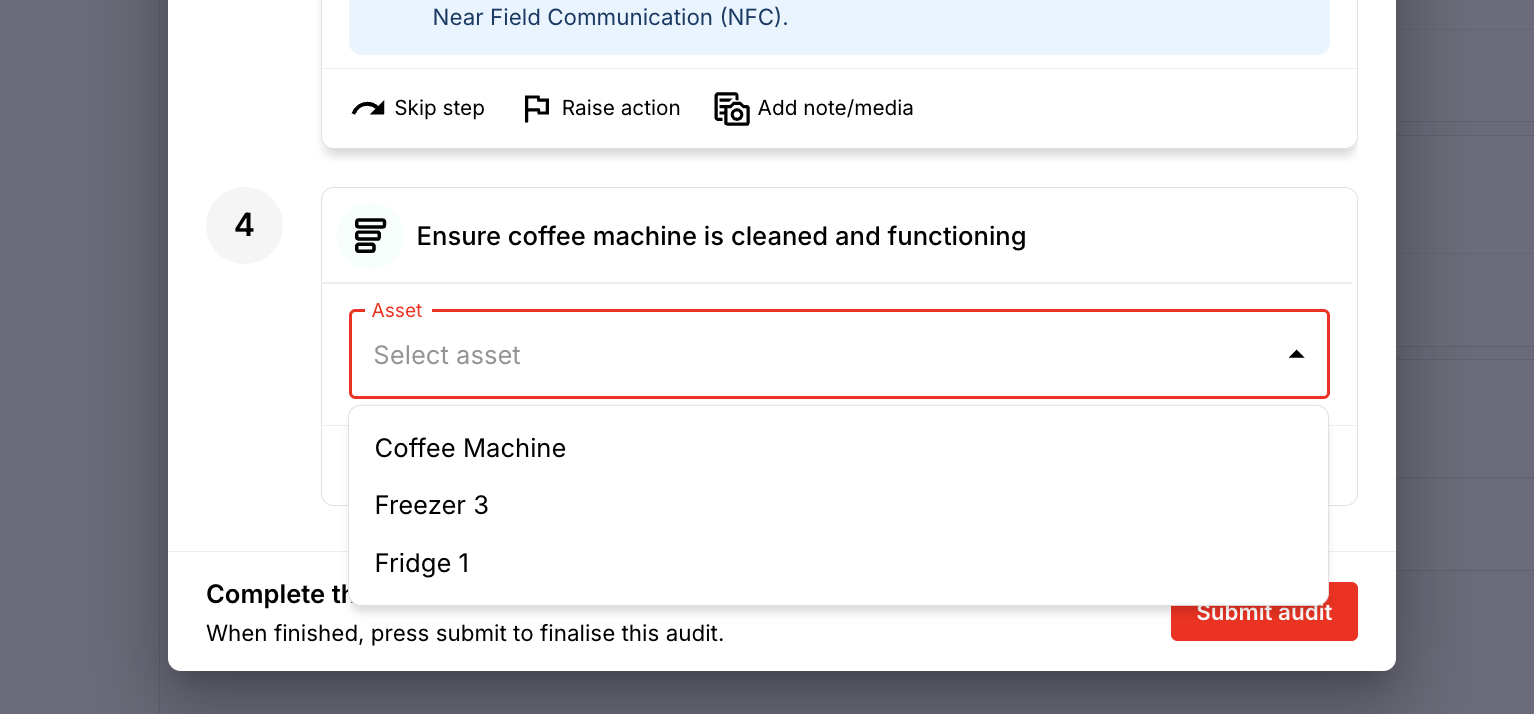
When you reach the asset response field, select the relevant asset(s).
- This can be one or multiple assets depending on how the job was set up.
- Complete/submit the job.
Viewing Jobs Associated with an Asset
- Navigate to the Asset View.
- Select the eye icon for the asset you want to inspect.
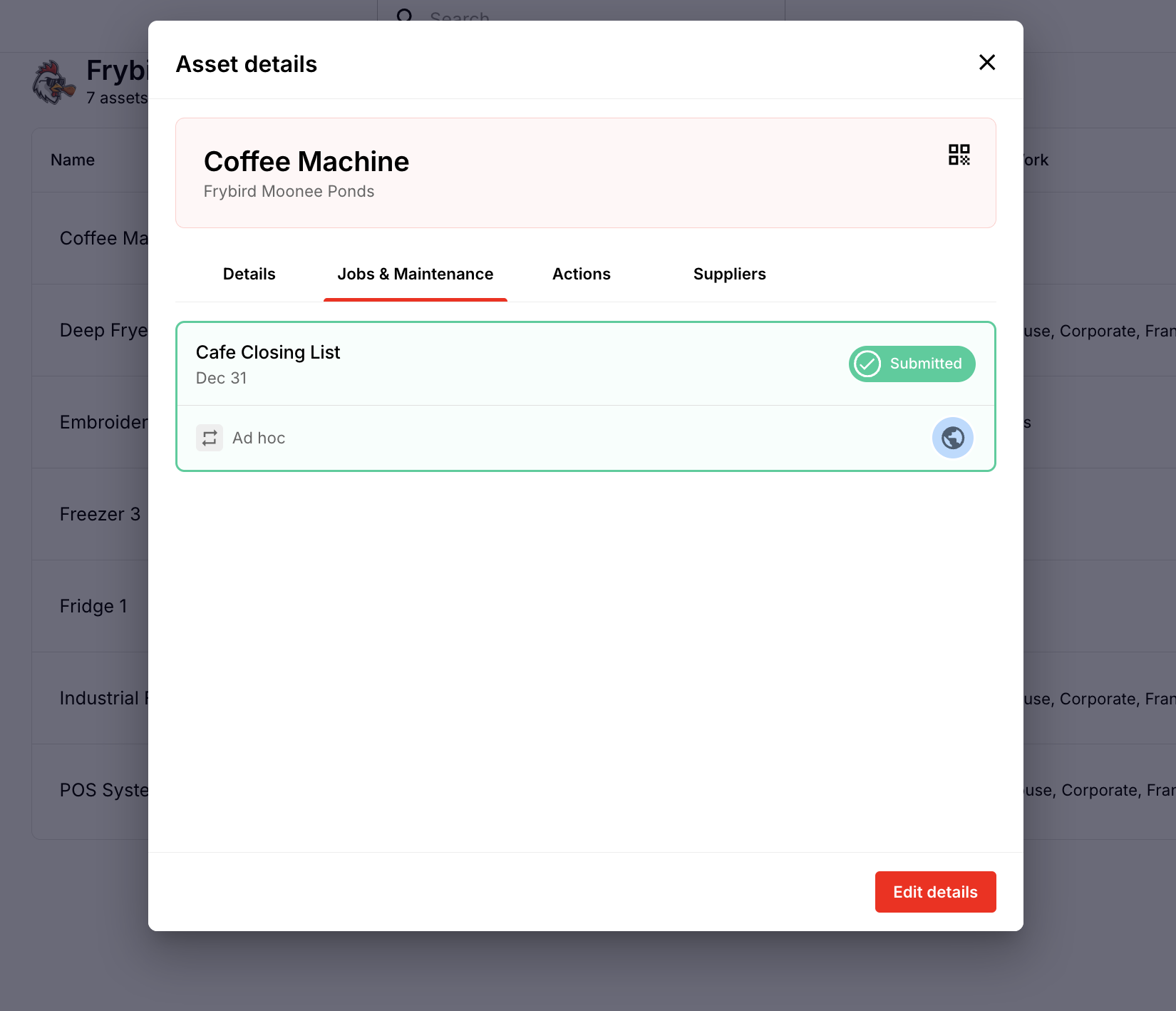
- Go to Jobs and Maintenance.
- You will see the history of all jobs that have been completed and are linked to that asset.
By linking assets to jobs, staff can easily track maintenance, inspections, or operational tasks and ensure everything is completed and documented in one place.